

Accessing variables
Every project variable is available in a script as an object under its own
name. A variable named OilTemp is therefore used directly:
temp = OilTemp.RawValue         # read the raw value
OilTemp.RawValue = 42           # write a value (the type converts automatically)
eng = OilTemp.EngValue          # the engineering value (after conversion), read-only
print(OilTemp.Name, OilTemp.Id) # the variable name and Id
- RawValue — the raw value, read and write,
- EngValue — the value after conversion (see Conversion and presentation), currently read-only,
- Name, Id — the variable identification.
Shared script scope
All scripts of a project share one scope — whatever the Startup script prepares (functions, connections, counters) can be used by periodic scripts and cleaned up by the Shutdown script.
Reacting to a value change
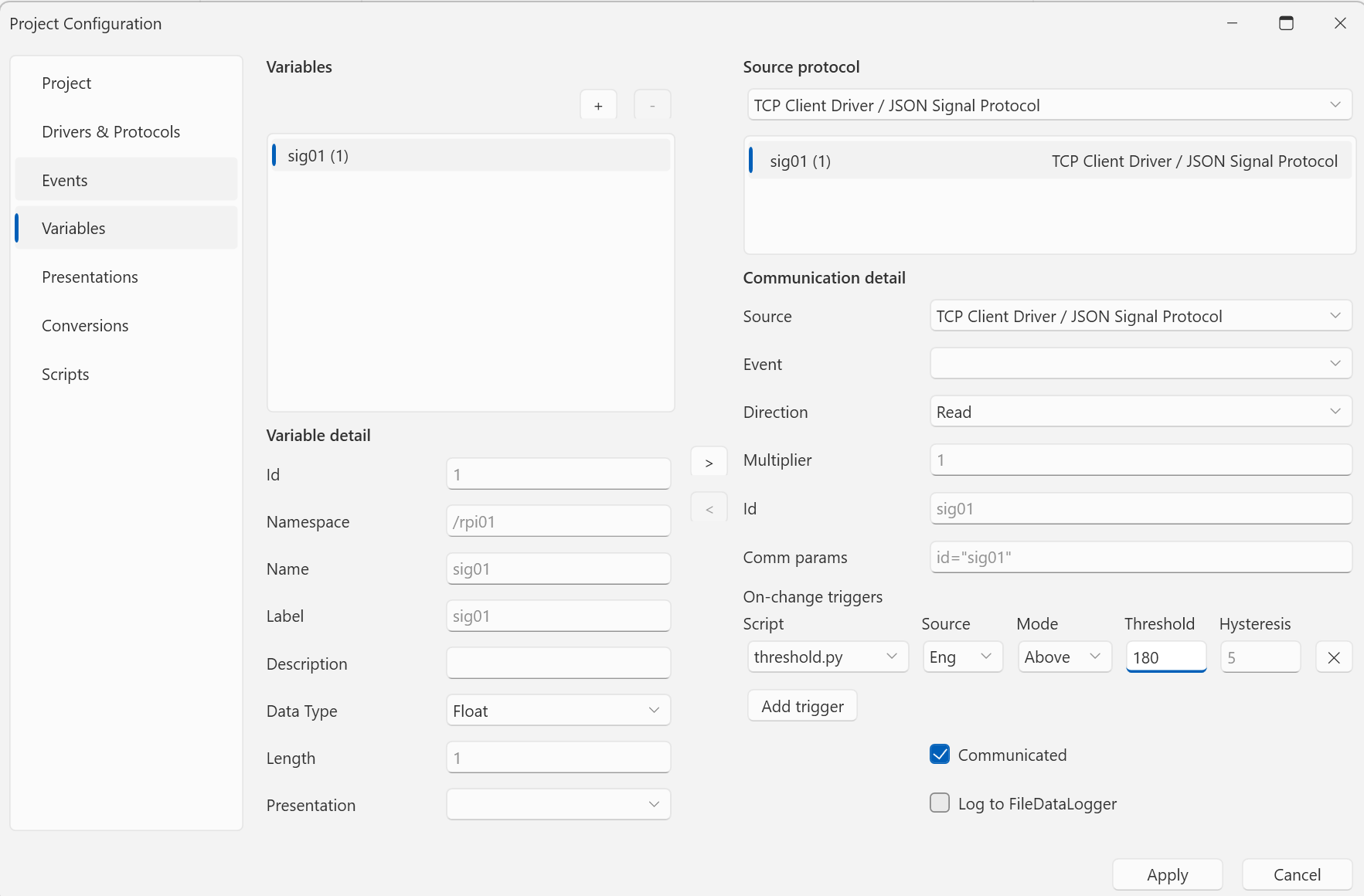
A script in the OnValueChanged mode is bound to a specific variable. The trigger condition is tuned in Parameters:
source=eng;mode=above;threshold=50;hysteresis=2
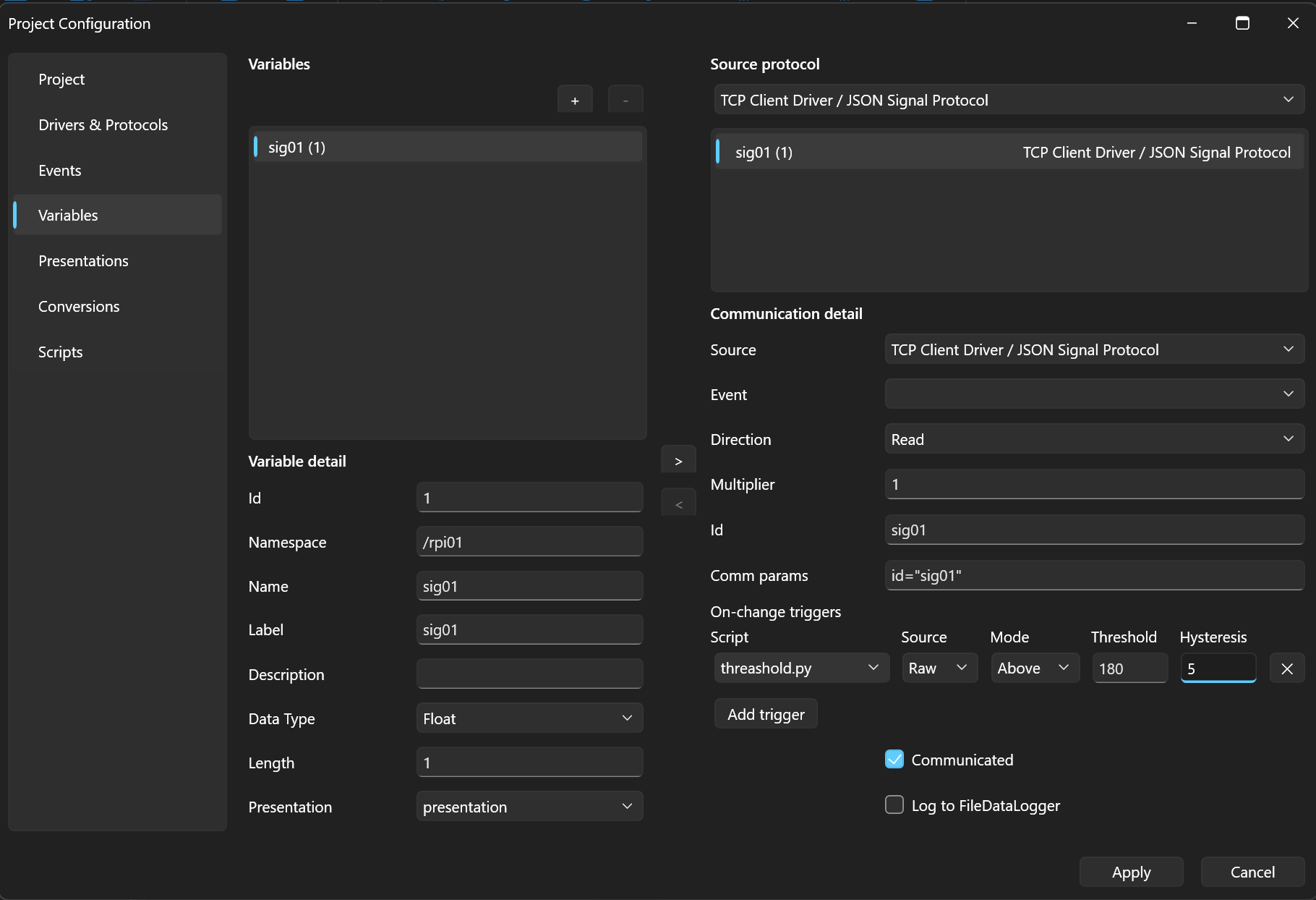
source— evaluate therawor theengvalue,mode—delta(change larger than the threshold),above/below(crossing a limit, with hysteresis),threshold,hysteresis— the threshold and hysteresis.
A trigger can also be set conveniently right on the variable (the Variables section, On-change triggers → Add trigger):
When triggered, the engine passes context in the variables
qenex_trigger_variable_name, qenex_trigger_old_value,
qenex_trigger_new_value, and qenex_trigger_delta.
Next
The whole example put together — Example script.