

Add a protocol
A protocol defines the form in which data is exchanged between devices
and how variable values are extracted from it. While the driver handles the
transport itself (a TCP connection, a CAN bus…), the protocol understands
the received data — it decodes it and routes it into variables. Protocols
are plugins, just like drivers (the Protocols folder next to QInsight.exe).
Steps
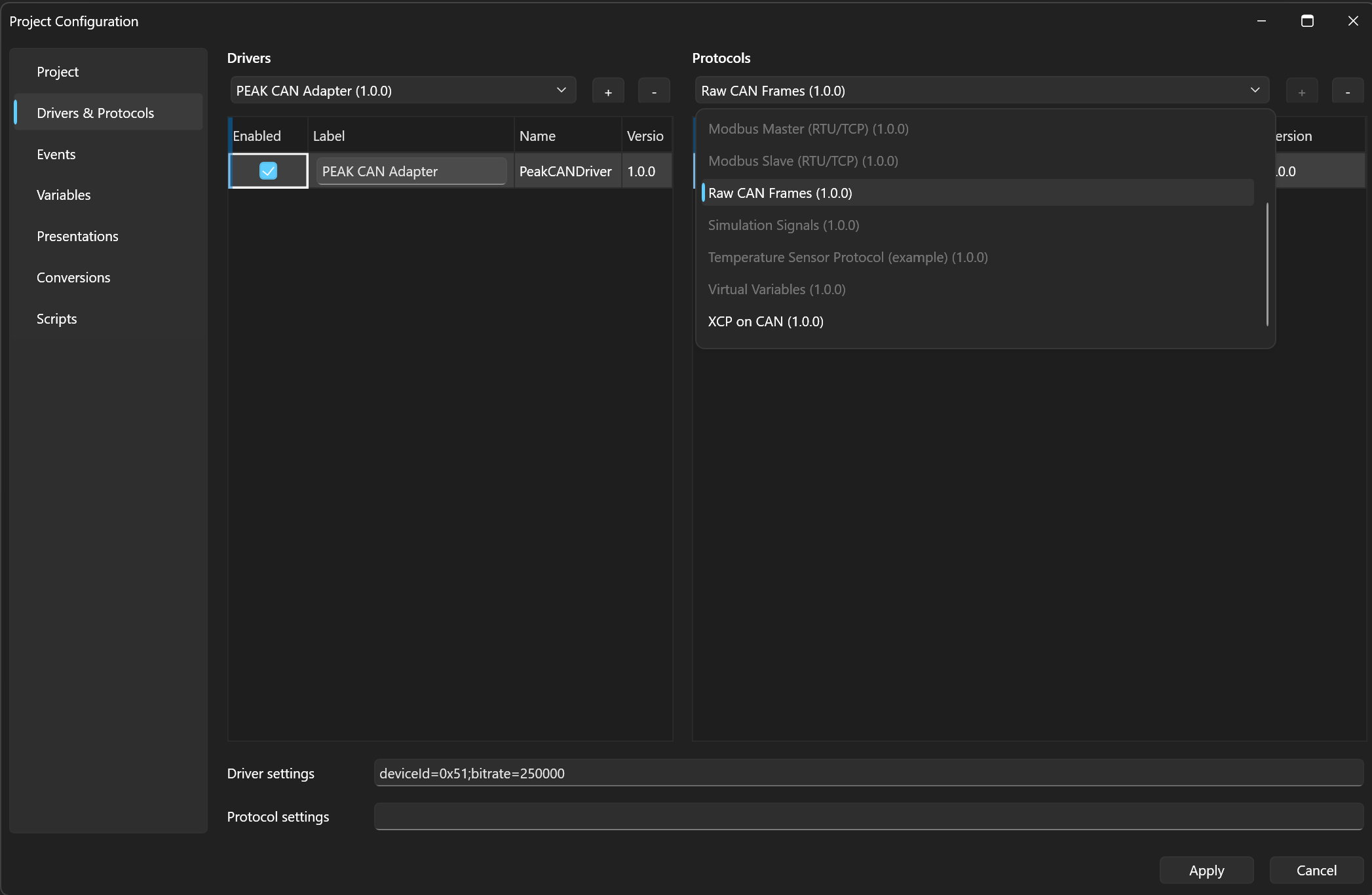
- Open Home → Project Configuration → Protocols (the Drivers & Protocols section).
- In the list of drivers, select the driver the protocol should belong to.
- In the right Protocols column, pick a protocol from the list and click +. The protocol is added to the selected driver.
- As with drivers, you can edit Label and Enabled.
The list offers only protocols that can work with the selected driver — incompatible ones are greyed out, and hovering them shows a tooltip explaining why (see Linking a driver and a protocol).

Protocol settings
Protocols with their own settings (Modbus Master/Slave, XCP) have the Settings field automatically pre-filled with a template of all parameters and their default values when added. These are only defaults — always overwrite them to match your real setup.
Example for Modbus Master:
mode=rtu;unitId=1;requestTimeoutMs=1000;requestRetries=2
mode selects the framing and must match the driver (rtu with a serial
port, tcp with a TCP client or server); set unitId to your slave
device's address; requestTimeoutMs and requestRetries control the
response timeout and the number of request retries. The full parameter list is in the
reference.
Protocols with no settings of their own (Raw CAN Frames, JSON Signal Stream, Simulation Signals) fill in no Settings field — they are configured only through per-variable parameters (see below).
How a protocol pairs data with variables
Each protocol has its own way of knowing which value belongs to which variable — it is configured later when assigning variables (see Add a variable):
- The JSON Signal Stream protocol pairs by signal name. The device sends
messages like
{"name": "rpm", "value": 2145}and the protocol delivers the value to the variable with the matching name; a write into a variable sends the device a line of the same shape. - The Raw CAN Frames protocol pairs by CAN ID — a frame with the given identifier updates the assigned variable; a byte offset and byte order (little/big endian) can also be specified.
An overview of all protocols is in the reference.
Next
What remains is to make sure the driver and protocol form a working pair — see Linking a driver and a protocol.