

Project password
A .qproj project can be protected with a password. A password-protected
project can only be opened by someone who knows the password — in any QInsight
installation on any computer. The password is not tied to a license or a user
account in any way.
The password is managed with the Password button in the Home/Project ribbon section. The button is available only when a project is open and no measurement or replay is running.
Setting a password
If the project has no password yet, the Project Password dialog offers to set one:
- Click Home/Project/Password.
- Enter the password into New password and repeat it in Confirm new password.
- Click Set password (or press Enter).

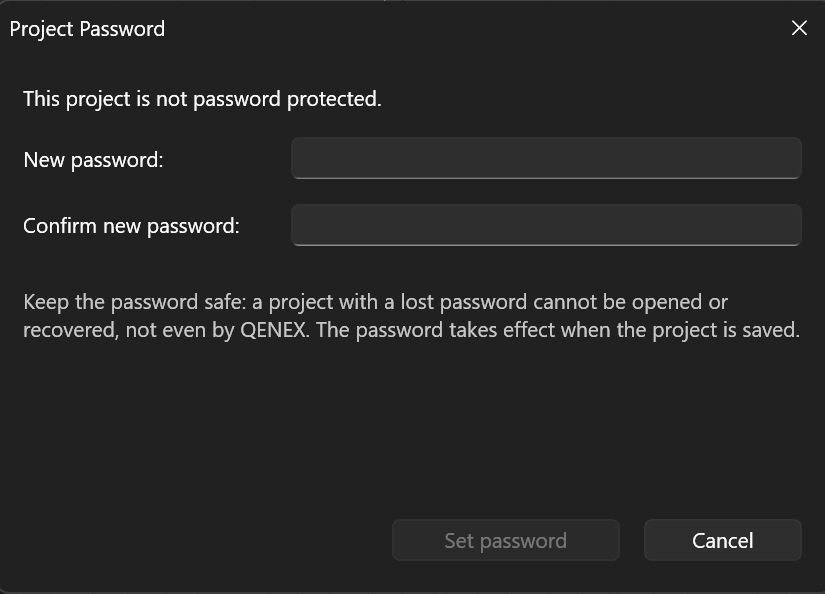
The Set password button becomes active only after both fields are filled in. If the password and its confirmation do not match, the dialog reports it and no password is set.
Important: The password takes effect only when the project is saved (Save or Save as). Until you save the project, the file on disk stays unchanged.
Changing and removing the password
For a project that already has a password, the same dialog offers to change or remove it. In both cases the current password is required:
- Change — fill in Current password, New password, and Confirm new password, then click Change password.
- Remove — fill in Current password only and click Remove password. After the next save, the project is no longer password protected.
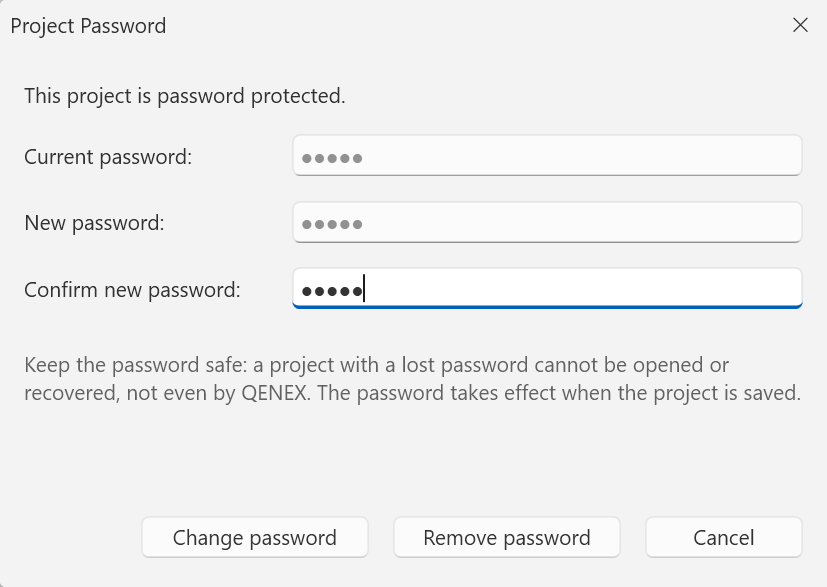

An incorrect current password is reported by the dialog and nothing is changed. Here too, the change is applied only when the project is saved.
Opening a protected project
When opening a password-protected project (Home/Project/Open), QInsight first asks for the password. After the correct password is entered, the project opens and the application remembers the password for as long as the project stays open — it does not ask again on subsequent saves. A copy saved with Save as is protected with the same password.
If the password is wrong, the dialog reports The password is incorrect (or the file is damaged) and lets you try again; Cancel aborts opening the project.
Important: A forgotten password cannot be recovered or bypassed — a project with a lost password cannot be opened by anyone, not even by QENEX. Keep the password safe.