

Writing values to the device
Controls do more than display values — selected controls can also write a value back to the device. Writing is supported by Single-Signal (numeric scalar variables), the Watch Table (per individual row, see the Watch Table chapter), and Matrix (cells and axis breakpoints, see the Matrix chapter). All three controls behave the same way when writing.
When writing is possible
Writability is decided by the protocol the variable is assigned to:
the variable must have direction="write" or "readWrite" in its
Comm params, and the protocol must support writing (e.g. Modbus
Master — writing coils and holding registers, or XCP — writing
calibration parameters into an ECU). Only numeric variables can be
written, not strings. Otherwise the Write Mode item in the control
menu stays disabled.
The write itself happens only while the communication is running (after Connect).
Steps
- Tick Write Mode in the control's context menu (in the Watch Table, the checkbox in the row's Write column). The edit box is tinted orange and is no longer overwritten by incoming values (the communication keeps running in the background).
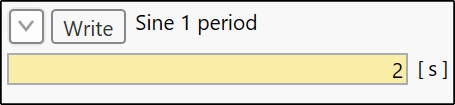
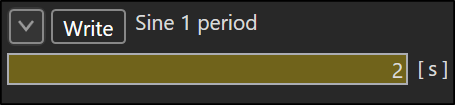
- Enter the new value. The edited value is pending and tinted yellow.
- Send it:
- with the Write button (in the control header, in the Watch Table in the row) — the default; in Matrix it sends all edited cells at once,
- or, with Write on Enter ticked in the context menu, directly with the Enter key.
- An invalid value or a failed write tints the field red (the Write button turns red too) and the write can be repeated.
| Color | Meaning |
|---|---|
| orange | write mode, value unchanged |
| yellow | edited value pending to be sent |
| red | invalid value, failed write or read |
You always enter the engineering value (in physical units) — the raw
value for the device is derived by the inverse conversion of the
presentation (for a linear conversion raw = (eng − Offset) / Multiplier, rounded and range-checked against the variable's data
type).
What the control shows after a write
Controls always show only values read from the device — a written value is not echoed locally. It reaches the display with the next read: the next poll (periodic event), or pressing Read for a variable on an OnRequest event. That way you immediately see what the device actually accepted.
- Read in write mode discards the pending edit and shows the freshly read value; the control stays in write mode.
- Turning Write Mode off discards the pending edit and the control shows the last read value until the next read.
Saving and starting the communication
Write Mode is saved with the project — for Single-Signal per control, for the Watch Table per row, for Matrix per tab. On the Edit → Run transition every control is emptied and waits for the first value read; Matrix additionally ends its write mode on start.
Next
Everything is ready — start the communication.