

Start and stop
Communication with devices is controlled in the Runtime ribbon menu, group Run:
- Connect — starts all enabled drivers and protocols. The application switches into the runtime mode: the runtime window layout is loaded, every control is emptied and starts receiving live values, and startup scripts run.
- Disconnect — stops the communication; the application returns to the edit mode and its window layout.
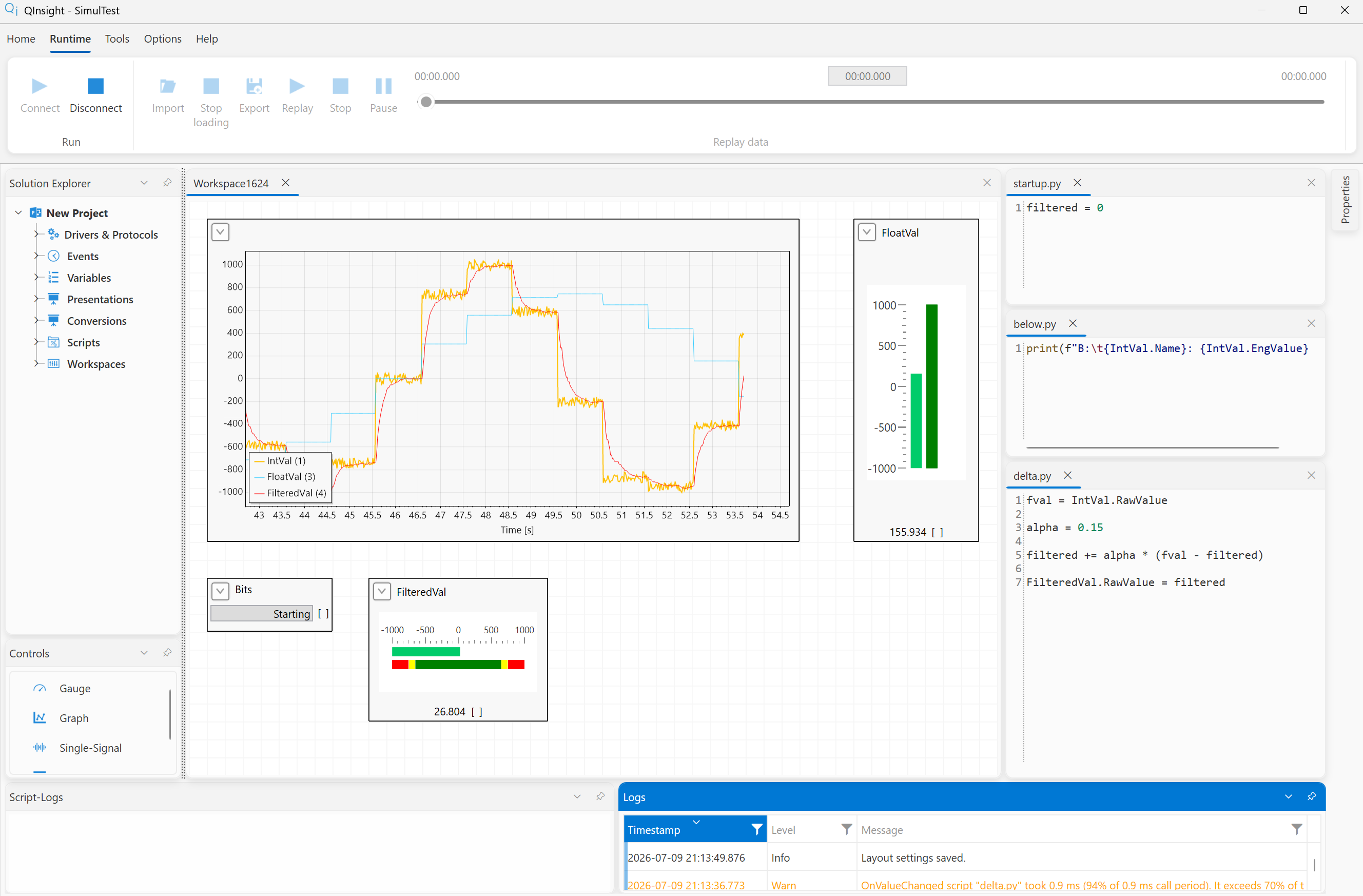
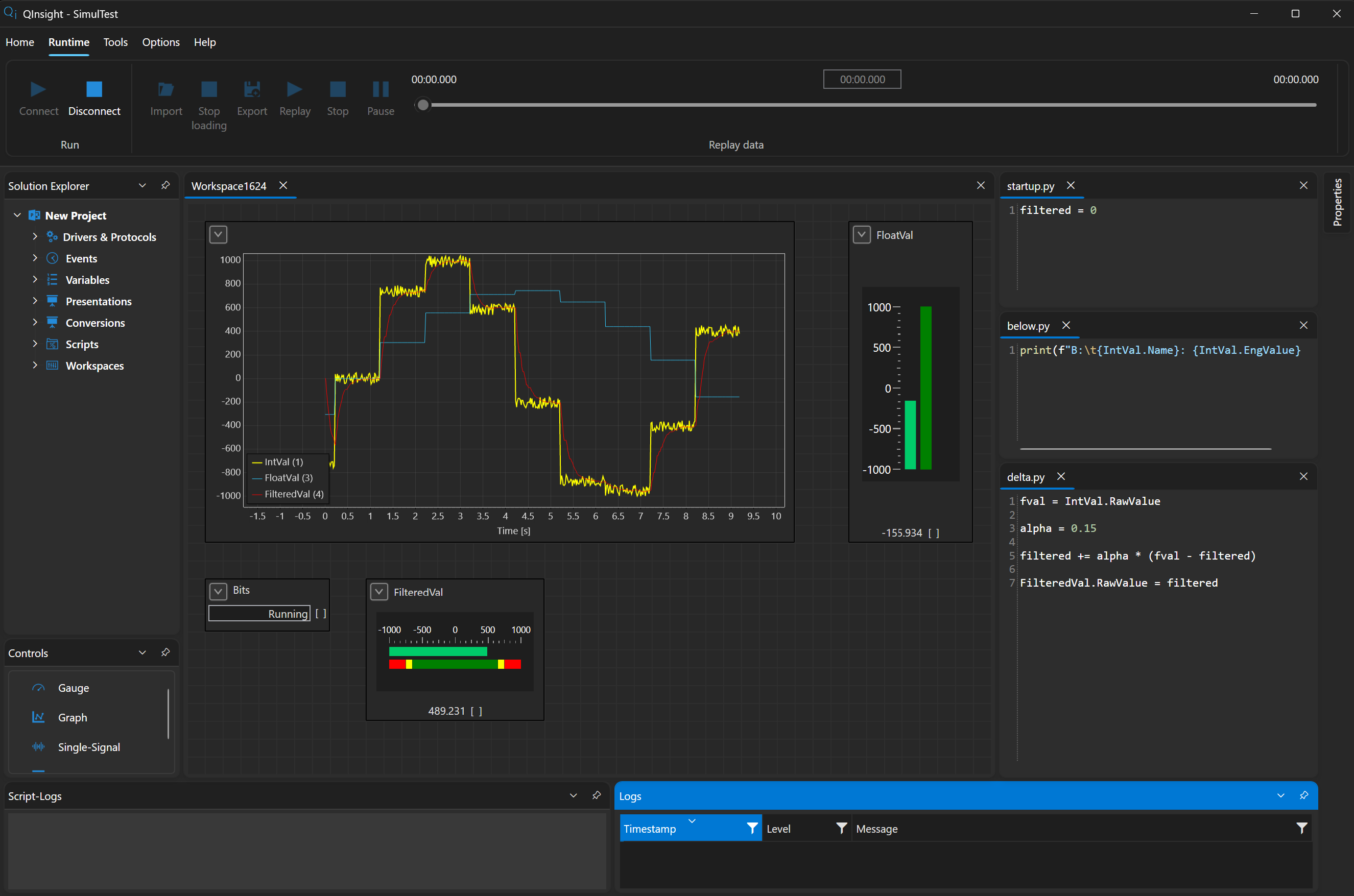
On start every control is emptied — Single-Signal, the Watch Table Value and Time columns, Matrix cells (the table shape and axis captions stay), the Gauge drops to its scale minimum, and graphs are cleared. They are filled only by the first value read from the device (poll, DAQ); variables on an OnRequest event stay empty until you press Read. No stale value from a previous run is ever left on the workspace.
If a driver cannot connect (e.g. a TCP connection fails), its reconnect attempts are written into the Logs window — look for the cause there first.
Driver states and the Start button
Every driver and protocol has its own state, shown after clicking it in the Solution Explorer in the Properties window (rows State and Message):
| State | Meaning |
|---|---|
| Running | the communication runs; for servers and drivers waiting for a peer the message says what is going on (e.g. Listening on 0.0.0.0:502) |
| Faulted | the connection is lost and the driver is trying to recover it according to reconnectDelayMs / reconnectAttempts; the message carries the last error; the protocols stay running and continue on their own once the connection is back |
| Stopped | the driver is not running: either the runtime is not started, or the driver gave up reconnecting after reconnectAttempts was exhausted (message gave up after N reconnect attempt(s): …), or it is disabled in the project |
The runtime keeps running even when one driver stops — the other drivers
measure and record independently. A stopped or faulted driver is started
again without stopping the runtime with the Start button at the
bottom of its Properties window: the button is enabled only while the
runtime runs and the driver is Stopped or Faulted; it starts just this
driver and its protocols and the attempt counter starts from zero. The
result is in the log (Driver '…' started by the operator) and the state
in the Properties window follows on its own. With the default
reconnectAttempts=-1 (forever) a driver never gives up and the button is
not needed; it is there for a deliberately limited number of attempts.
The details of reconnection per driver are in the
driver reference.
Edit vs. runtime mode
Each mode has its own layout of the dockable windows. Save it in the given mode with Options → Layout → Save — it then applies across all projects. The arrangement of controls on workspaces, on the other hand, is saved with the project.
Next
What can be observed while running — Watching live data.