

Accessing variables
Every project variable is available in a script as an object under its own
name. A variable named OilTemp is therefore used directly:
temp = OilTemp.RawValue         # read the raw value
OilTemp.RawValue = 42           # write the raw value (the type converts automatically)
eng = OilTemp.EngValue          # read the engineering value (after conversion)
OilTemp.EngValue = 105.5        # write the engineering value (via the inverse conversion)
print(OilTemp.Name, OilTemp.Id) # the variable name and Id
- RawValue — the raw value, read and write,
- EngValue — the value after conversion (see Conversion and presentation), read and write,
- Name, Id — the variable identification.
Writing EngValue performs the inverse computation back to the raw
value (for a linear conversion raw = (eng − offset) / multiplier) and
converts the result to the variable's data type — integer types are
rounded. A value that does not fit the type (overflow, NaN) is not
written: the script fails with a warning in the log and the variable
keeps its previous value. Mind conversions with an offset: "zero" in the
engineering world is not the raw zero (EngValue = 0 stores the raw
value −offset/multiplier).
Writing vs. displaying: virtual variables
A script write (RawValue as well as EngValue) only stores the value — by itself it creates no signal sample, so the written value shows up neither in controls and graphs nor in logged data. Controls live on the notifications of communicated variables, and those are issued by protocols.
That is what the Virtual Variables Host (driver) + Virtual Variables (protocol) pair is for: assign the variable your script computes — and the user should see — to this protocol. Every script write is then published as a sample timestamped at the moment of the write, and the variable behaves like any other signal. The two only work together — Project Configuration offers no other protocol under this driver. Details: Virtual Variables, a complete walk-through: Simulation: all signals. A variable assigned to no protocol remains a cheap intermediate value — scripts share it, but it is displayed nowhere.
Shared script scope
All scripts of a project share one scope — whatever the Startup script prepares (functions, connections, counters) can be used by periodic scripts and cleaned up by the Shutdown script.
Reacting to a value change
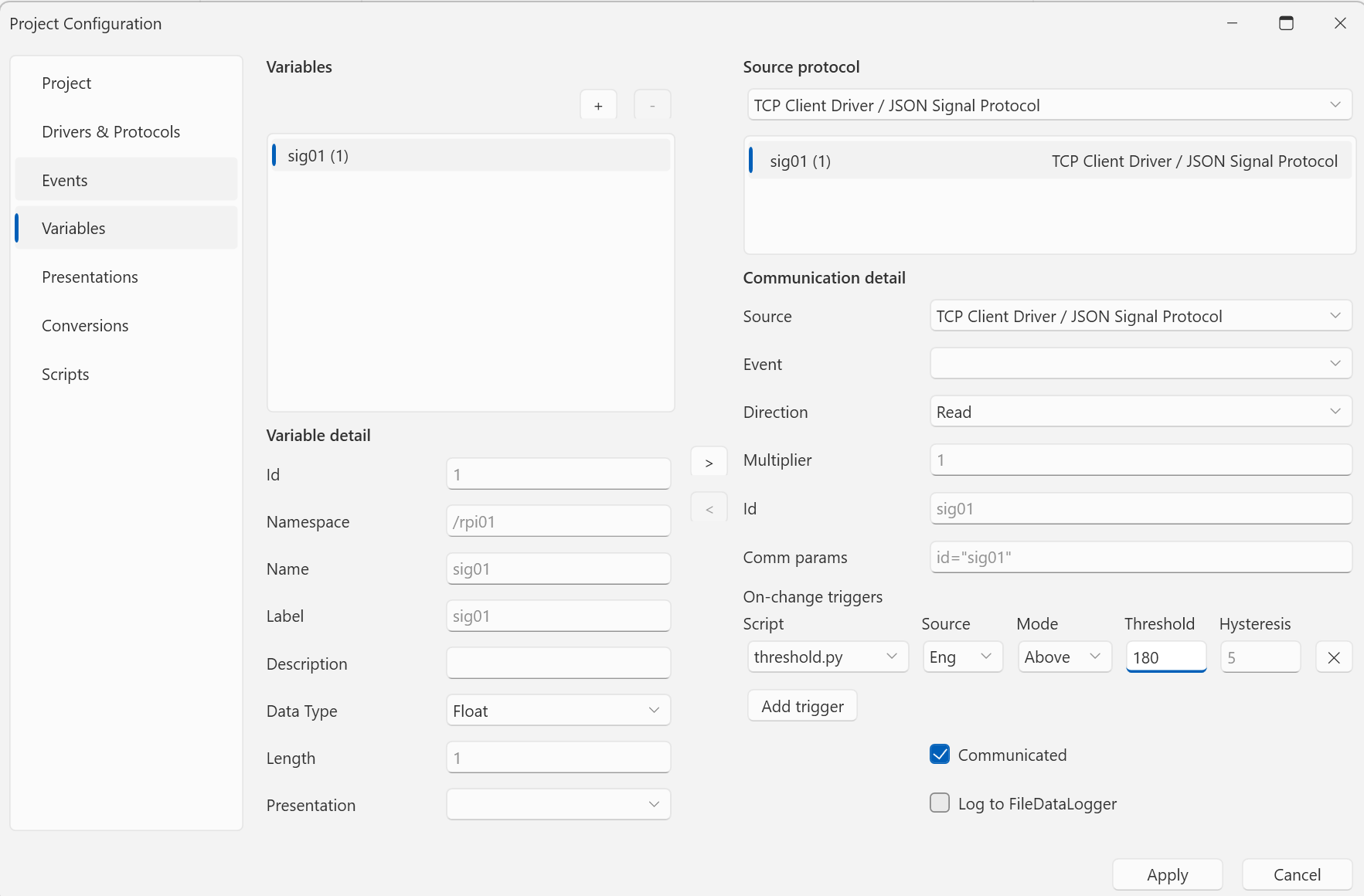
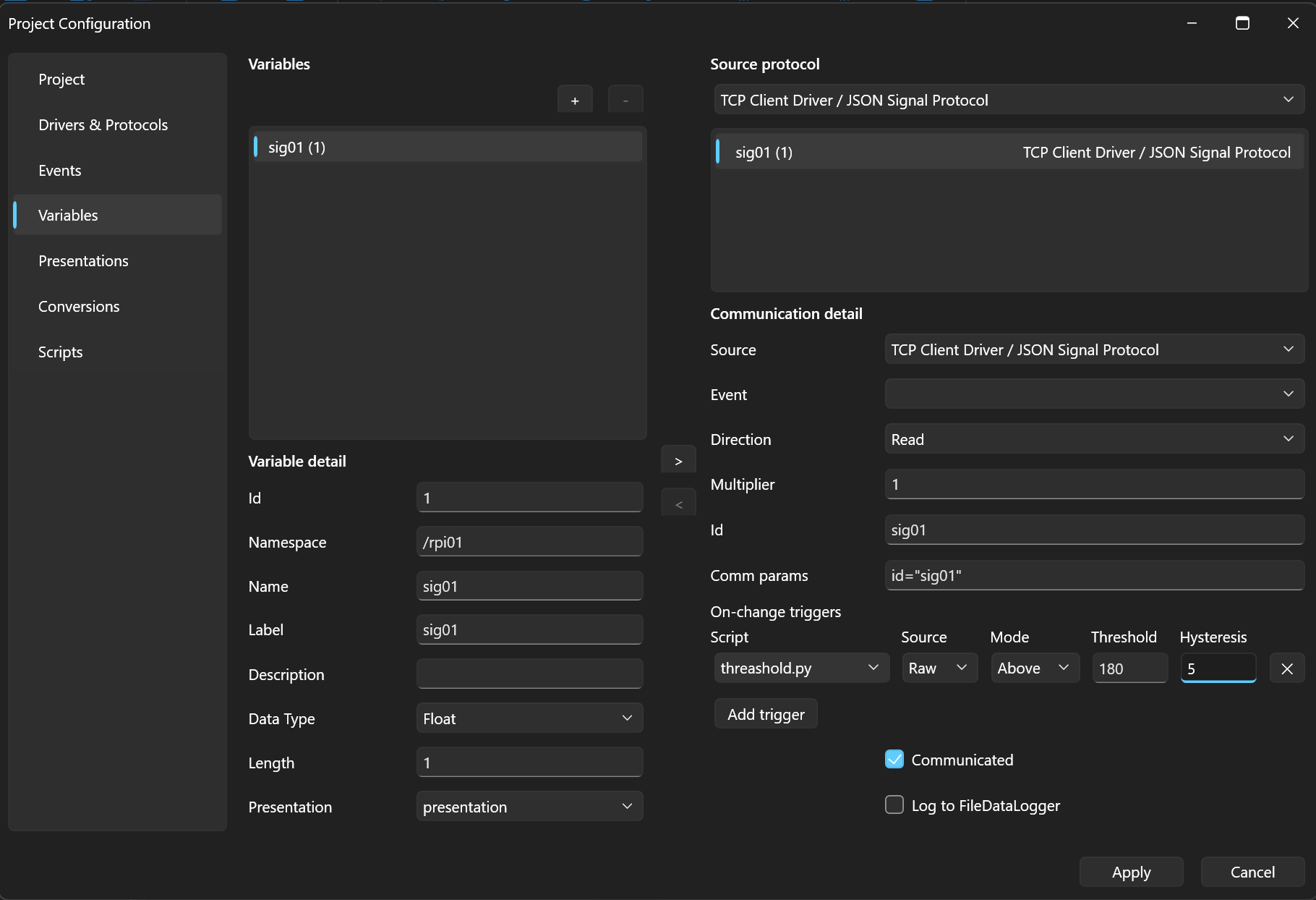
A script in the OnValueChanged mode is bound to a specific variable. The trigger condition is tuned in Parameters:
source=eng;mode=above;threshold=50;hysteresis=2
source— evaluate therawor theengvalue,mode—delta(change larger than the threshold),above/below(crossing a limit, with hysteresis),threshold,hysteresis— the threshold and hysteresis.
A trigger can also be set conveniently right on the variable (the Variables section, On-change triggers → Add trigger):
When triggered, the engine passes context in the variables
qenex_trigger_variable_name, qenex_trigger_old_value,
qenex_trigger_new_value, and qenex_trigger_delta.
Next
The whole example put together — Example script.